
Which features should your mobile HRMS app prioritize?
Mobile HRMS has been a clear trend in the HR technology field for some time now. Most vendors are now offering some form of mobile app to complement their products. However, many will emphasize some functions and features over others, which begs the question: what should your priorities be? Which mobile features are going to give you the biggest impact and savings for your buck?
Access to Employee Self-Service (ESS)
The ESS portal will be the most widely used feature, as it's the primary driver of the mobile HRMS trend. It gives employees remote access to their personal data, allowing them to update information, request time off, and check their pay.
This is especially so with bring your own device (BYOD) policies, encouraging employees to use their own mobile devices in the workplace.
Compare mobile HRMS features using our free online software comparison tool
Time and Attendance
One of the most commonly used HRMS features is time and attendance, centralizing and automating punching in and out, monitoring hours worked, overtime due, and then using that data to inform workplace scheduling and resource allocation.
Traditional time and attendance technology is fine for an organization with all of its employees on-site. However, if you are seeing a rise in staff ‘in the field’ or working from home, then some form of attendance management from a distance is required.
Request Management
This is something of a combination point in that employees working off-premises are no different from their ‘home base’ colleagues in that there are certain requests that they need to get management approval for, including paid time off, booking training and learning, and reimbursement of travel expenses.
It’s simply less convenient if these kinds of requests have to be saved up for the end of the day or month, whenever that employee checks in at the office. Many mobile HRMS apps will enable access to the same automated request functionality for all employees, no matter their location.
Key design features
On a slightly different tack, there are features of your mobile HRMS that are not directly connected to an HR process or procedure but that are nevertheless equally as important if you’re to get full value for money for your technology:
- Compatibility with all device platforms (Android, iOS etc.) according to your BYOD policy.
- Being able to use the app offline. After all, coverage and connectivity aren’t universal, and employees should be able to carry out their HR tasks even when offline, with the app synchronizing automatically once connectivity is restored.
- Push notifications that give your out-of-office employees real-time notifications of updates, replies to requests, and other necessary HR-related information.
And finally, an easy-to-use and intuitive interface is essential, especially for employees who might be tapping into the system while in transit or while waiting for a customer.

Free white paper
HRMS Software Pricing Guide
Get your comprehensive guide to the cost of HRMS software.
Featured white papers
-
HRMS Self Service - 6 Steps to Success
Your comprehensive guide to selecting and implementing HRMS self-service
Download -
HRMS Requirements Template
Free HRMS requirements template (over 130 features) customizable for your organization
Download -
52 features to look for in your next HRMS
A comprehensive guide to help you identify requirements for your HRMS selection
Download
Related articles
-
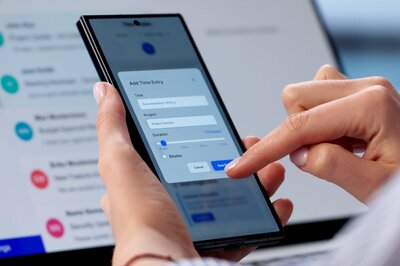
Mobile HRMS: Native Apps vs. Web Apps
Learn about the advantages and disadvantages of native and web-based mobile HRMS apps in this com...
-

4 HR functions that work better on mobile
While all HR transactions at one stage were performed without mobile devices the benefits utilizi...
-

The 16 most common HRMS modules & features
There is a great wealth of HRMS modules available to you. But what are some of the most common on...